
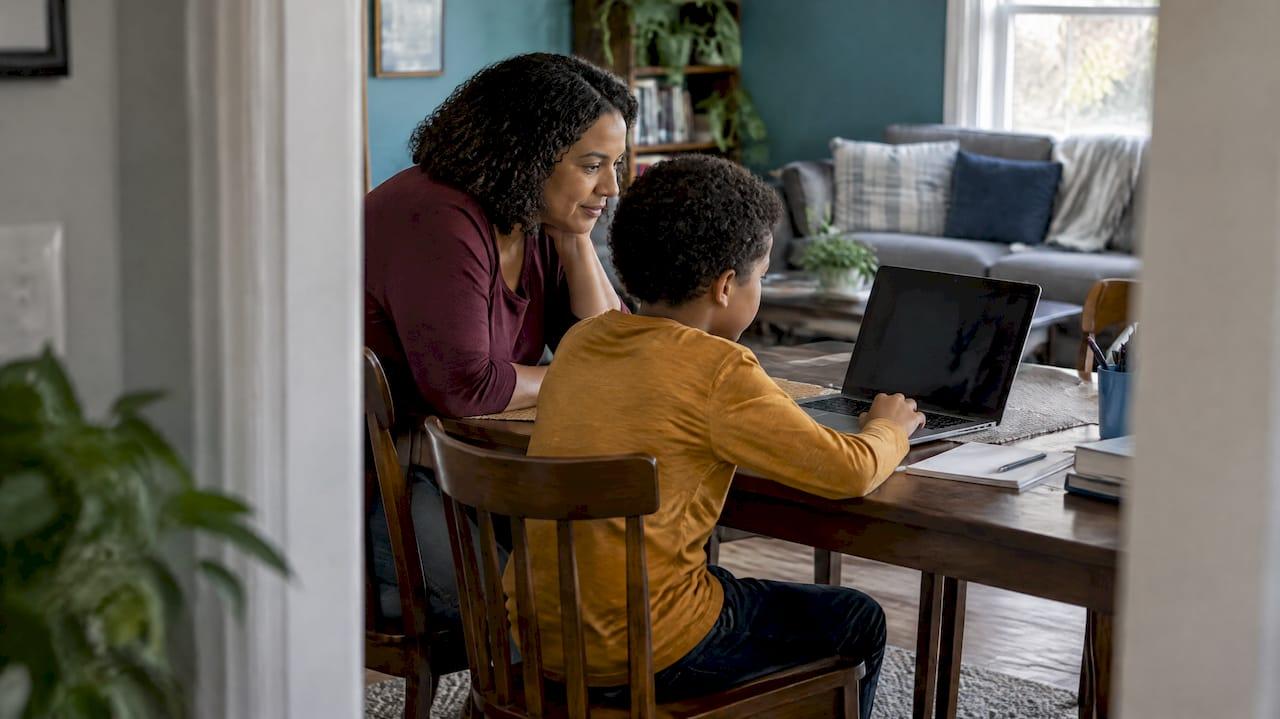
Online tutoring is safe when a parent sets the structure around it: a tutor you have checked, lessons that stay on one agreed channel, an adult within earshot, and a child who knows they can speak up without losing their device. None of this takes technical skill. It takes a routine, and this guide gives you one. At TUTOROO we connect families with private language tutors for one-on-one lessons, online or in person, and we believe the best lessons start with parents who feel confident about who is on the other side of the screen.
TL;DR
- Screen the tutor before the first lesson: identity, references and, for regular work with a child, a fingerprint-based background check.
- Keep every message and lesson inside one agreed channel, and stay in the room or nearby, especially for younger children.
- Teach five simple rules, and make a "no-punishment pact" so your child reports problems early.
- Know your privacy rights: US law gives parents control over data collected from children under 13.
- If something goes wrong, keep evidence, then report it to the platform and to the national tip lines.
Table of Contents
- Why one-to-one lessons need their own safety plan
- Step 1: Check the tutor before the first lesson
- Step 2: Set up the lesson space
- Step 3: Teach five simple rules
- Your child's data: what US law says
- If something goes wrong
- Finding a tutor on TUTOROO
- Our view: safety is a partnership
- FAQ
- Sources
Why one-to-one lessons need their own safety plan
A classroom has other adults and other children in it. A one-to-one online lesson has a tutor, a child and a screen. That privacy is what makes tutoring effective, and it is also why safety needs deliberate design.
Stanford's National Student Support Accelerator (NSSA) names the main risks in its tutoring toolkit: a tutor alone with a student, private out-of-session contact between tutor and child, unauthorised recording of sessions, and breaches of confidentiality and data privacy. Virtual delivery adds to these because the tutor may live in another state, which affects which records you can check.
The same NSSA guidance notes that researchers have not yet studied safety protocols in tutoring specifically, but that educators agree student safety and data privacy must be pillars of any programme. In a private arrangement, you are the programme manager. The sections below are your checklist.
Step 1: Check the tutor before the first lesson
The most important safety decision happens before anyone turns a camera on. Here is what a careful check looks like.
Identity and fit
Read the tutor's profile closely. Does the photo, name, location and teaching history hang together? Does the tutor describe experience with children of your child's age? On TUTOROO you can browse tutors by language, location and availability, and use our messaging system to talk with a tutor before committing to lessons. Use that conversation. Ask how they structure a first lesson, how they work with children, and which tools they use. A good tutor welcomes these questions from a parent.
References
The NSSA toolkit recommends a professional reference, a character reference or a letter of recommendation, ideally one that speaks to experience working with children. Ask for one and speak to the person who wrote it.
Background checks
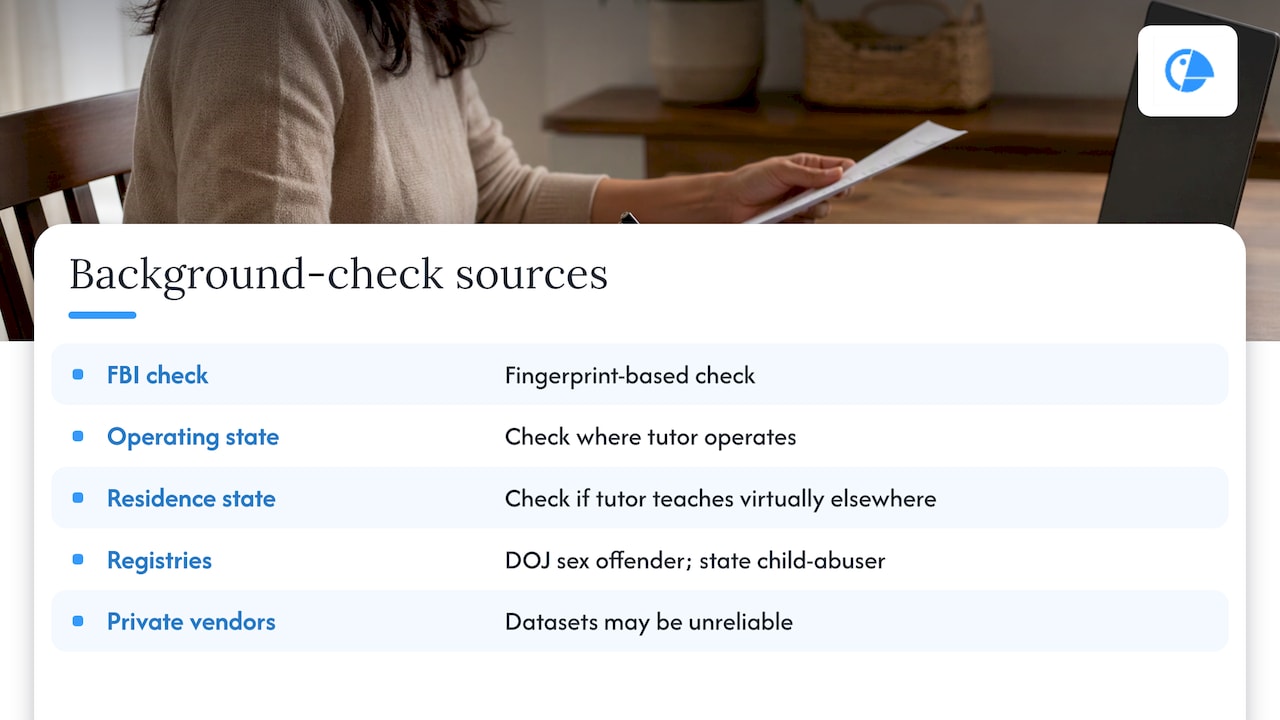
There is no single national criminal database in the US, so one search is never the whole picture. The NSSA toolkit says programmes typically need two or three checks: an FBI fingerprint-based check, a check in the state where the tutor operates, and a check in the tutor's state of residence if they teach virtually from elsewhere. It adds searches of the Department of Justice sex offender registry and state child-abuser registries. The toolkit also cautions that private background-check vendors can rely on unreliable datasets.
Why fingerprints and a national check? The Texas Association of School Boards explains that online tutoring involves substantial verbal contact, which creates an opportunity to groom a student. That is the reason national checks are required for tutors in that setting rather than a lesser search. Some states go further: Florida's Department of Education requires approved online and distance-learning providers with electronic access to students to submit to fingerprint screening, unless exempt, because email and phone contact counts as direct contact.
For a practical walk-through of what a proper check should cover, see our guide to what a tutor background check must include. If you are weighing a tutor you met through a friend or a community, our comparison of a community tutor and a professional teacher helps you decide how much screening each calls for.
Step 2: Set up the lesson space
Once you are happy with the tutor, shape the environment.
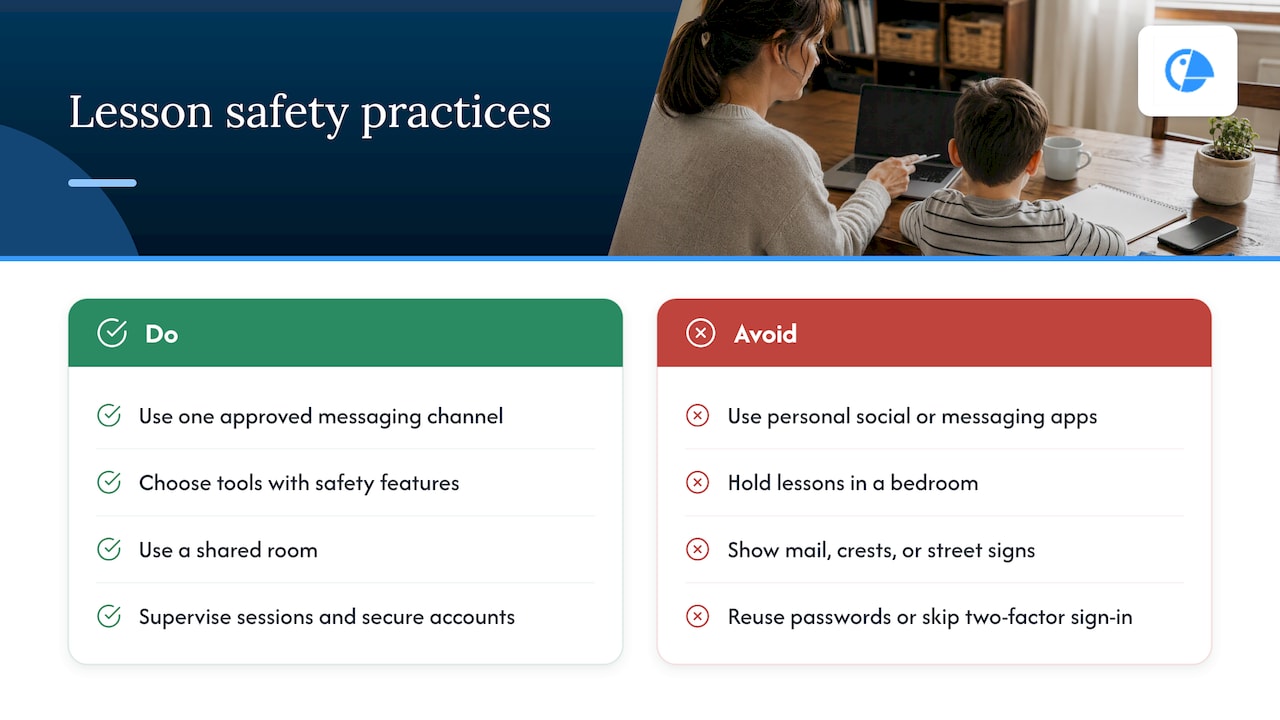
Choose one approved channel. The NSSA toolkit recommends restricting out-of-session contact between tutor and student to approved channels only. In practice: agree that scheduling and lesson messages go through one place, and that the tutor does not contact your child on personal social media or private messaging apps. Messaging through the platform you booked on keeps the conversation visible to you.
Pick a lesson tool with safety features. NSSA's platform checklist asks for live video with camera and microphone, secure session recording that supervisors or families can review, role-based access controls and moderation tools. The same guidance treats recording as a safety feature as well as a learning aid, so agree up front who may record, who stores the file and who can view it.
Choose the room. Use a shared space such as a living room or kitchen table, not a bedroom. Keep the background plain, with no visible mail, school uniforms with crests, or street signs.
Be present. The NSSA toolkit suggests supervising adults cycling in and out of sessions. At home, that means popping in at random moments, sitting nearby for the first few lessons, and staying closer with younger children. Tutors who are confident in their conduct will not mind.
Protect the accounts. Lessons often involve email, shared documents and payment links, which are common targets for phishing. Strong, unique passwords and two-factor sign-in on the family email account help. For background on how these scams work, read this explainer on credential phishing and how to avoid it.
Step 3: Teach five simple rules
Children follow rules they understand. Keep these short and put them somewhere visible.
- Talk to your tutor only in the lesson app or channel we agreed. No personal social media, no side chats.
- Never share your home address, passwords, financial details or other private information with your tutor.
- Tell a trusted adult straight away if anything feels uncomfortable, even if you are not sure why.
- Do not record or screenshot the lesson or the tutor on your own. Recording is something the family agrees on openly.
- If something unsafe happens, keep the evidence and let a parent help you report it.
The rule that makes the other four work is the fifth one's partner: the no-punishment pact. The Blue Ribbon Project, a child-safety resource, suggests families promise not to take the device away if a child reports an online problem, so that children come forward early. Say it out loud once, and mean it.
What to watch for in the first few lessons
Trust grows over time, and so does information. After the first lesson, ask your child how it felt and what they did. Watch for a tutor who asks to move to another app, requests secrecy, offers gifts, asks personal questions unrelated to the language, or pushes for contact outside lesson times. Our guide to language tutor red flags in the first lessons lists the teaching and conduct signs worth noting. Tutors who keep lessons focused, professional and open to parents are showing you what a good fit looks like.
If you are also dealing with fake profiles or suspicious payment requests, our guide to avoiding tutoring scams covers the patterns families should know. And three questions every parent should ask before booking are collected in our online tutoring safety checklist.
Your child's data: what US law says
Safety is not only about people. Lessons generate names, voices, faces, and sometimes school details. Two federal laws matter most. NSSA's guidance states that FERPA governs how education records are used and disclosed, and that COPPA applies to online tools used with children under 13.
Under the COPPA Rule, a child is anyone under 13. Services directed to children, or that knowingly collect their personal information, must give notice and obtain verifiable parental consent before collecting, using or disclosing it. Parents can review and delete their child's data, and a service cannot require a child to hand over more information than is reasonably necessary to take part.
The Federal Trade Commission updated the rule in 2025. The amendments took effect on 23 June 2025, and organisations had until 22 April 2026 to comply with most provisions. That deadline has now passed, so these tighter rules are in force.
What does that mean for you at the kitchen table?
- Read the privacy policy of any lesson tool or app your child uses. Look for what is collected, who it is shared with, and how long it is kept.
- Expect a consent request before a tool collects data from a child under 13, and decline tools that do not ask.
- Know you can ask to see or delete your child's data.
- Be careful with AI add-ons. Chatbots, voice assistants and automated tutors process audio, text and images, and sharing that material with an outside model provider can count as a disclosure that needs separate consent.
These rules are federal baselines. State laws can add requirements, so for a specific concern about your child's data, a privacy lawyer or your state attorney general's office is the right person to ask.
If something goes wrong
Having a plan beforehand keeps you calm when it counts.
- Make sure your child is safe. If they are in immediate danger, call 911.
- Keep the evidence. Take screenshots of messages, profiles, photos and anything relevant, and do not delete anything. The Blue Ribbon Project's guidance is the same.
- Stop the lessons and the contact. Do not confront the tutor; you may alert them before authorities can act.
- Report it. Use the platform's built-in report feature, and report to the National Center for Missing and Exploited Children (NCMEC) CyberTipline at report.cybertip.org or 1-800-843-5678, open around the clock. You can also report to the FBI's Internet Crime Complaint Center at ic3.gov or the Department of Homeland Security's Know2Protect tipline at 1-833-591-5669. All three are listed in the Blue Ribbon Project's reporting guide.
- Support your child. Thank them for telling you. This is the moment the no-punishment pact pays off.
A note on reporting duties: NSSA's toolkit points out that tutors may be mandated reporters under state law, meaning they must report suspected abuse within a set time. If your child's tutor also works in a school, ask what applies in your state.
Finding a tutor on TUTOROO
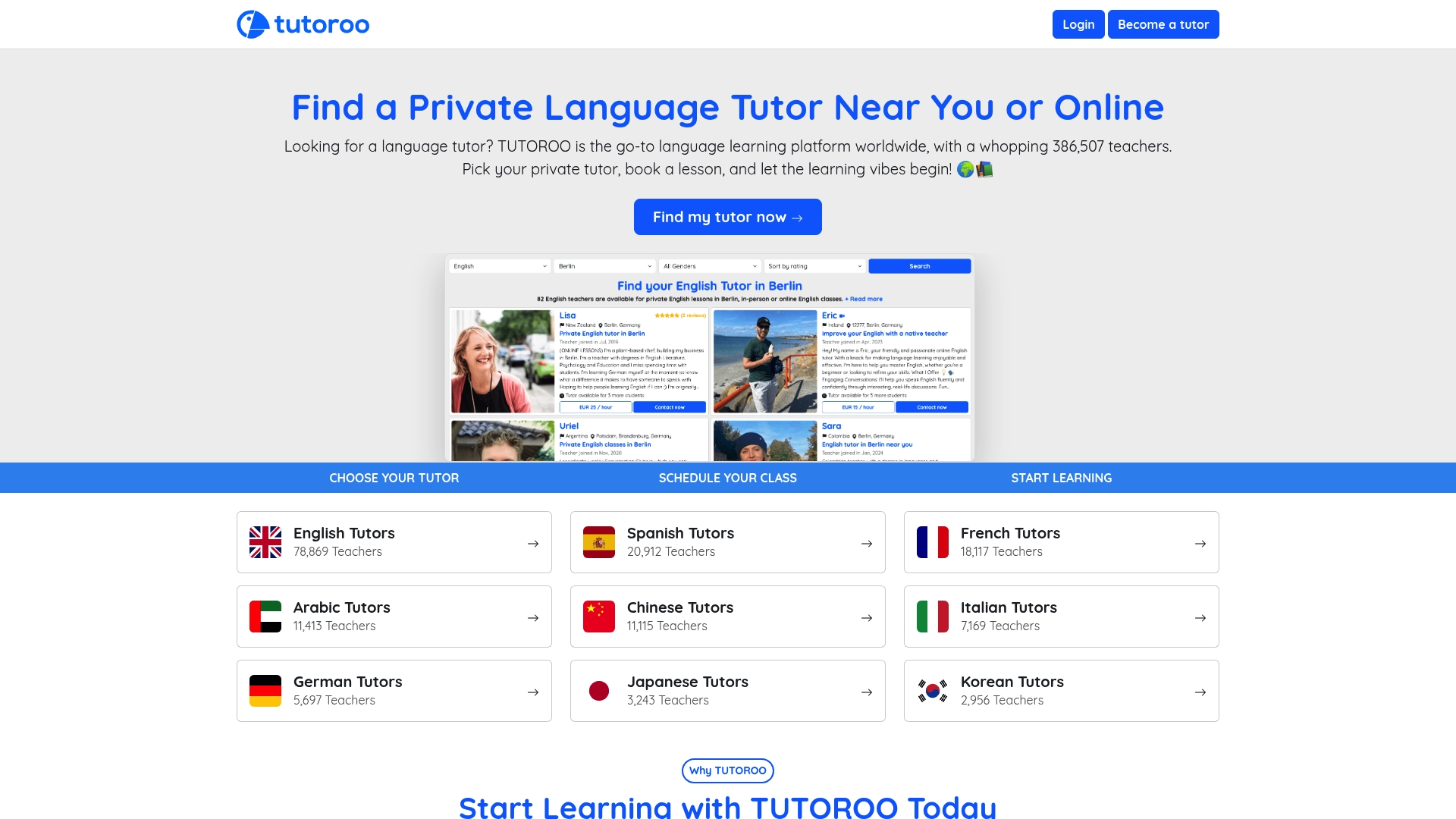
TUTOROO is an international marketplace with a community of more than 386,000 language teachers across English, Spanish, French, Japanese, Chinese, German, Italian, Portuguese and many other languages. You search by language, location and availability, choose a tutor whose profile suits your child, and message them before you begin. Lessons can be local or online, and tutors are paid directly by students for ongoing lessons.
That makes it simple to apply everything above: read the profile, talk to the tutor, ask for references, run your checks, and agree the ground rules before the first lesson. Start with the language your child wants to learn on our home page, or look at English tutors, French tutors or Japanese tutors. If you are still deciding on lesson format, our plans for online language lessons for kids is a good place to begin.
Our view: safety is a partnership
We think the strongest language lessons grow from trust, and trust is something parents and tutors build together. A child learns best when they feel at ease, and parents are at ease when they can see who is teaching, how lessons run and how to reach the tutor.
That is why we put so much weight on direct communication. Our messaging system lets families and tutors talk before lessons start, so questions about experience, approach and expectations are answered up front rather than assumed. Tutors set their own schedules and families choose from a wide community, so you can find a person whose style and availability suit your child.
We encourage every family to bring the same care to language learning that they would bring to any important part of their child's life: look closely at a tutor's profile, ask for references, set clear rules, stay involved and keep the conversation with your child open. Learning a language opens doors to culture, connection and opportunity, and with a few good habits at home, those doors open safely.
TUTOROO
FAQ
What is the 7 7 7 rule for kids online?
There is no official standard behind it, and families use the label differently, so it is best treated as a household rule of thumb rather than a guideline. A more reliable approach is to agree your own written rules covering time, channels and who is nearby, and review them as your child grows.
Should I sit in on my child's online lessons?
For younger children, yes, at least for the first few lessons, and stay nearby afterwards. NSSA's toolkit recommends supervising adults who move in and out of sessions, which suits families too. Older children can have more privacy as trust builds, but a shared room and an open door remain sensible.
Is it safe for my child to message their tutor directly?
It can be, if the messages stay on the agreed platform and relate to lessons. NSSA recommends limiting tutor-student contact outside sessions to approved channels. Move any personal social media or private app requests straight to a conversation with you.
Do I need to worry about my child's data in online lessons?
It is worth a few minutes. Under COPPA, services that collect personal information from children under 13 need verifiable parental consent and must let parents review and delete the data. Read the privacy policy of each lesson tool and keep personal details out of lessons.
What should my child do if a tutor makes them uncomfortable?
Tell a trusted adult straight away, without fear of losing their device or lessons. You can then keep screenshots, end the contact and report through the platform and the NCMEC CyberTipline.
Sources
- Toolkit for Tutoring Programs: Program Implementation, National Student Support Accelerator
- Section 7: Ensure Safety, National Student Support Accelerator
- Choosing and Using a Virtual Tutoring Platform, National Student Support Accelerator
- Criminal History Checks of Online Tutors, TASB
- Florida Department of Education guidance on fingerprint screening
- 16 CFR Part 312, Children's Online Privacy Protection Rule
- Federal Register COPPA final rule summary
- Protecting Children Online, Blue Ribbon Project